
UniReader for Windows
Everything you read, in one place.
Our reading is scattered. A PDF here, an EPUB there, comics in an archive, an old DjVu that nothing seems to open — and every format wants its own app.
We think reading should start with the book, not with the file. UniReader opens them all, keeps them together on your PC, and then gets out of the way.

Try everything free for 10 days. PDF and EPUB stay free after that.
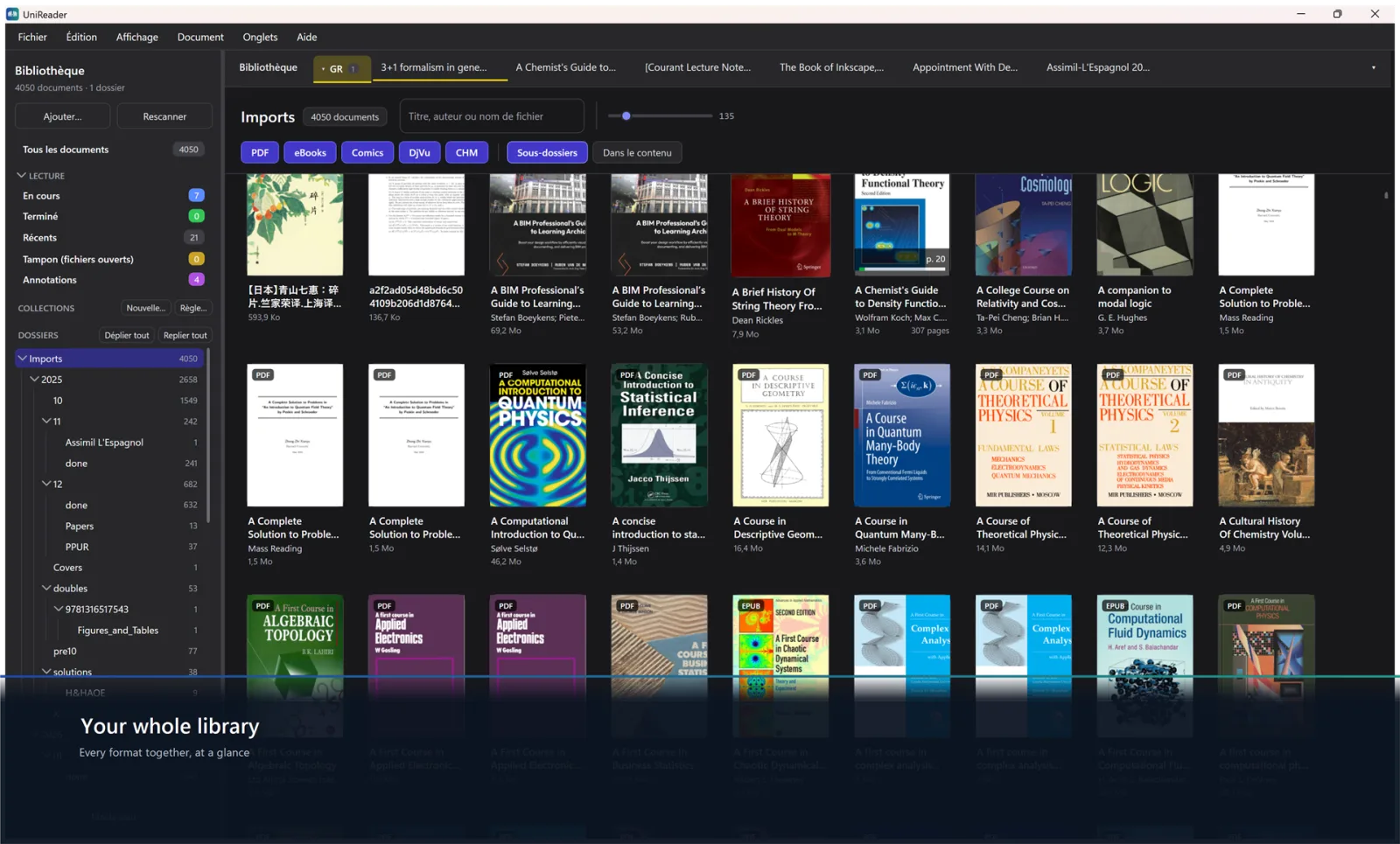
How it works
- 1
Bring your books
Show UniReader the folders where your books already live — on your PC, a USB drive, OneDrive or Dropbox. Nothing is moved.
- 2
Open anything
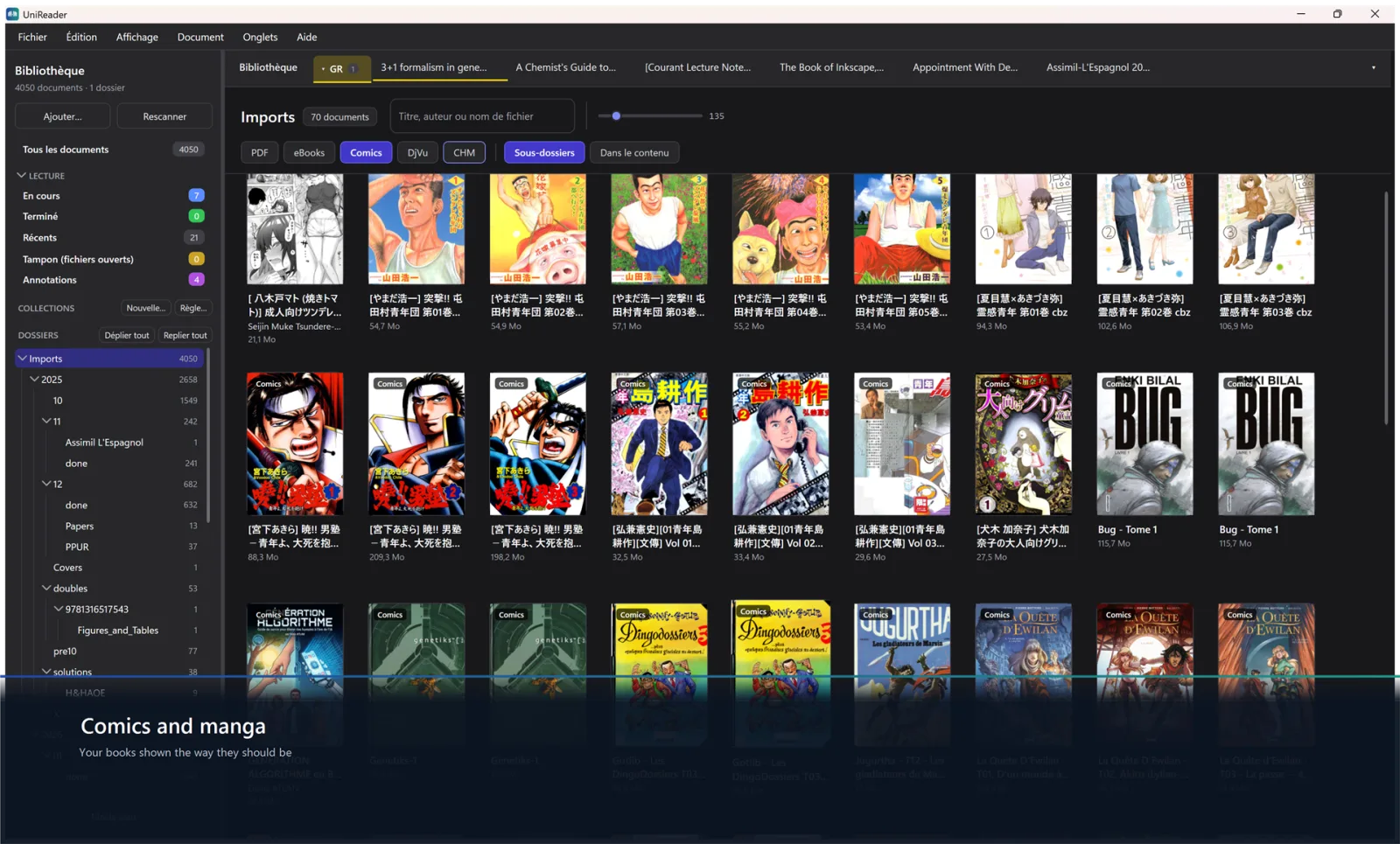
PDF, EPUB, comics, DjVu, MOBI, Word and the rest open at once, with their cover and their table of contents. No conversion, no extra app.
- 3
Read your way
Highlight, take notes, listen, ask about a difficult page — and come back tomorrow exactly where you stopped.
15 formats, one reader
Novels and manga, manuals and scanned books, office documents and old e‑book formats — each one opens natively, without being converted.
- EPUB
- DjVu
- MOBI
- AZW3
- CHM
- FB2
- DOC
- DOCX
- RTF
- TXT
- LIT
- CBZ
- CBR
- CB7
Reading assistant
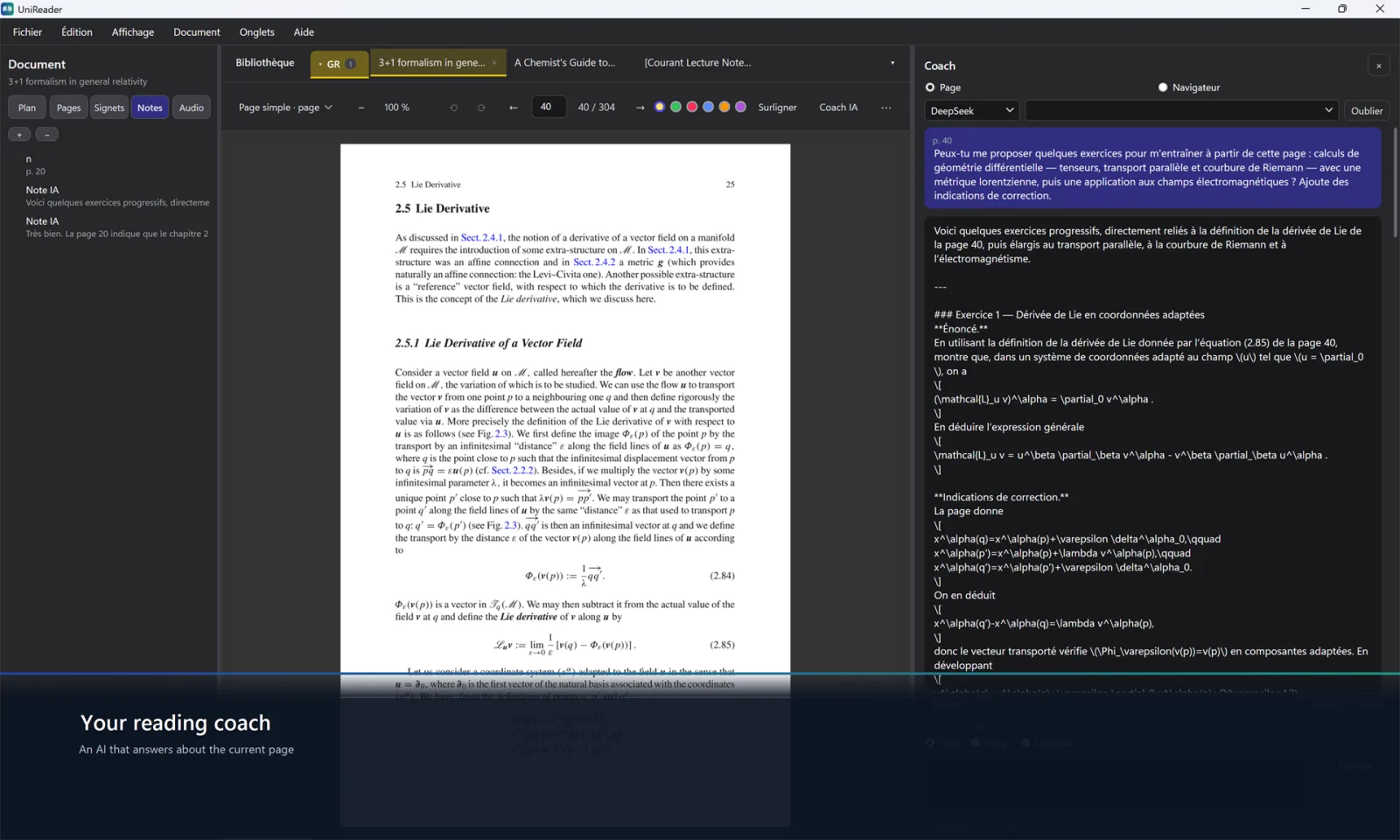
Ask about the page in front of you
Stuck on a passage? Ask for a summary, an explanation, a translation, or a few questions to check you understood — like a private tutor sitting next to the book.
You use your own AI account, with a key from OpenRouter, OpenAI, Anthropic or DeepSeek. Nothing leaves your PC until you ask.
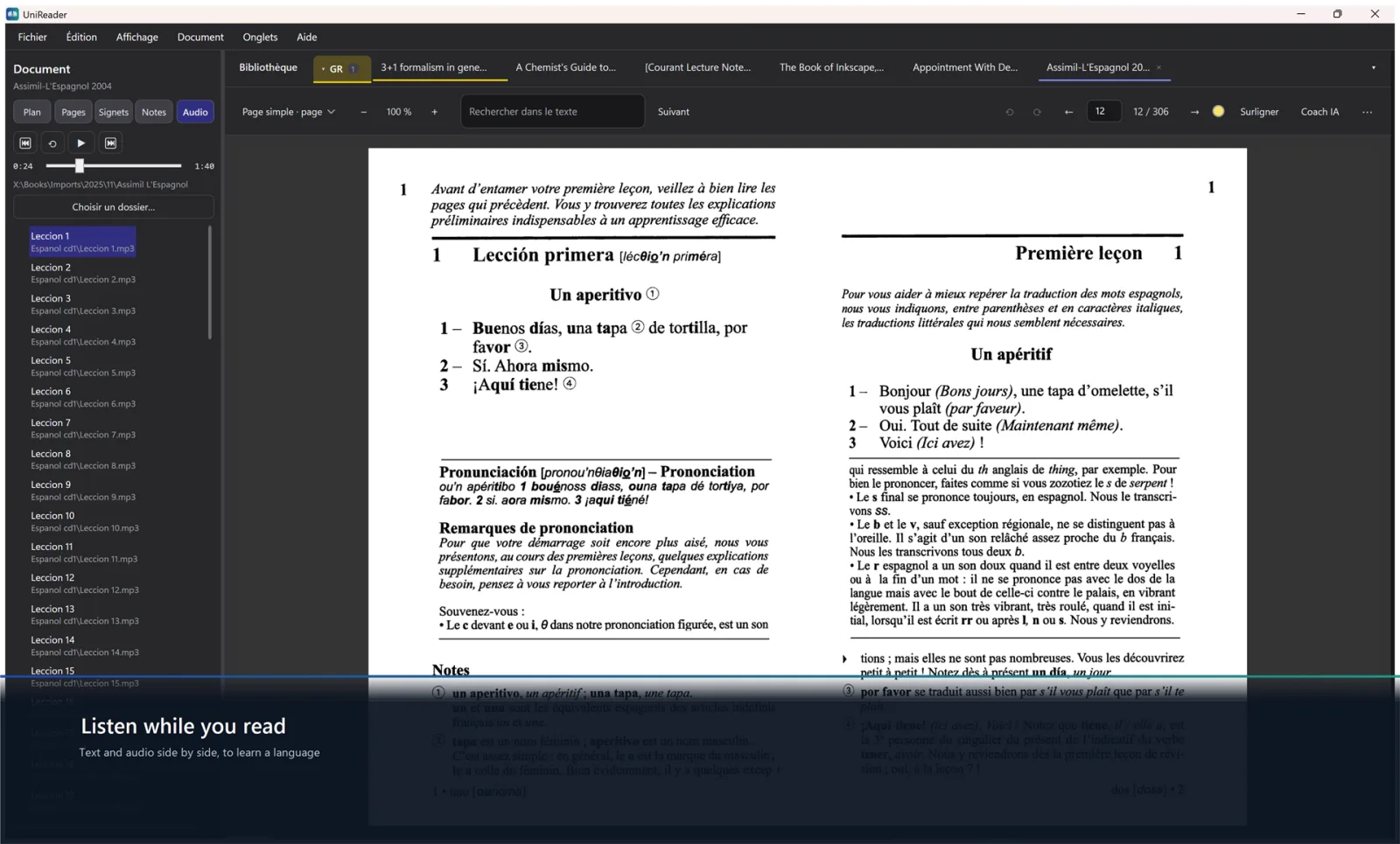
Listen while you read
The text and its recording, side by side
Attach the recordings that go with a text — a language course, an audiobook’s chapters — and play them next to the page. Each track remembers where you stopped.
It is the simplest way we know to learn a language: read, listen, and read again.
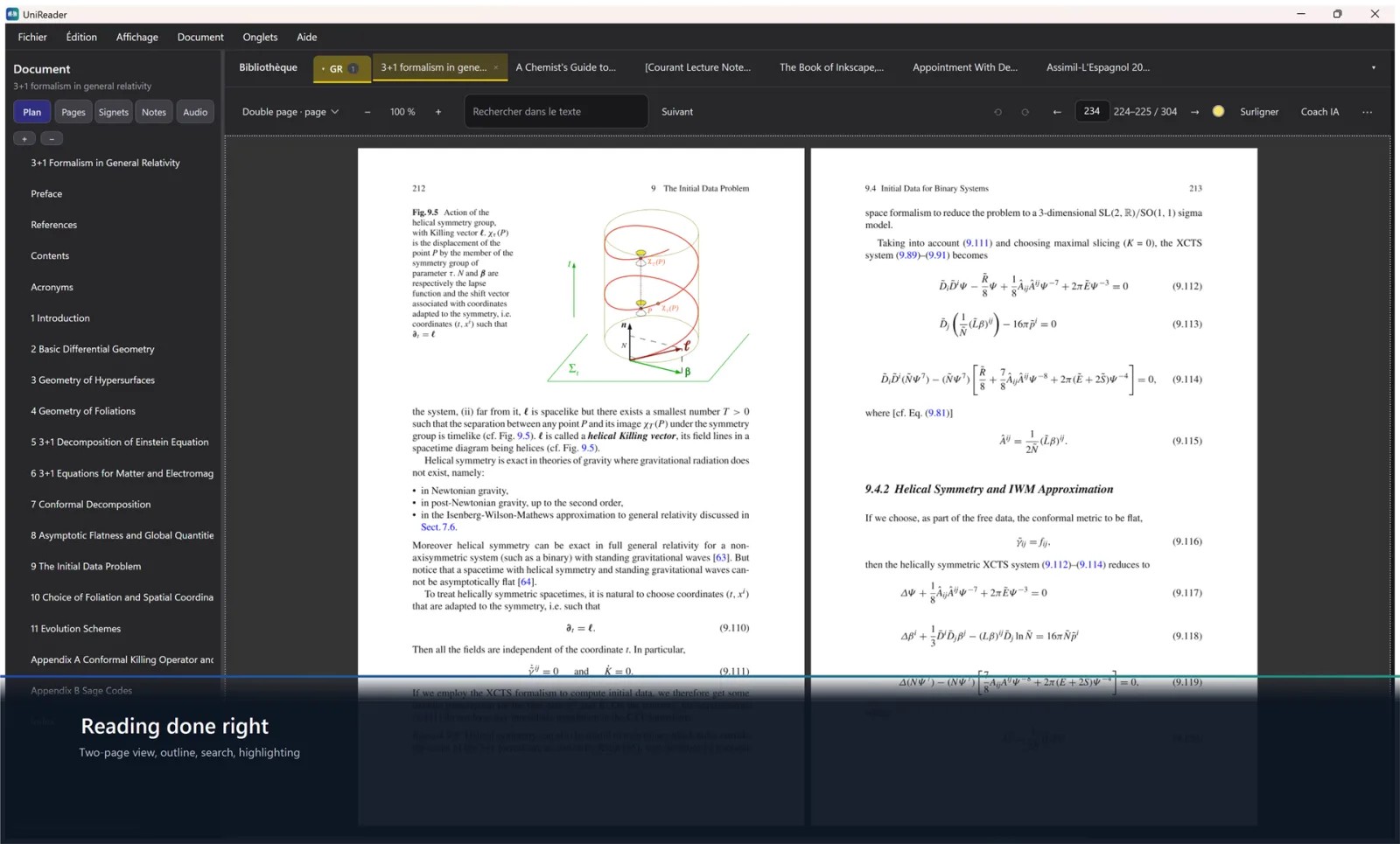
Made for reading
Every feature serves one purpose: letting you think about what you read, not about the file.
Reading themes
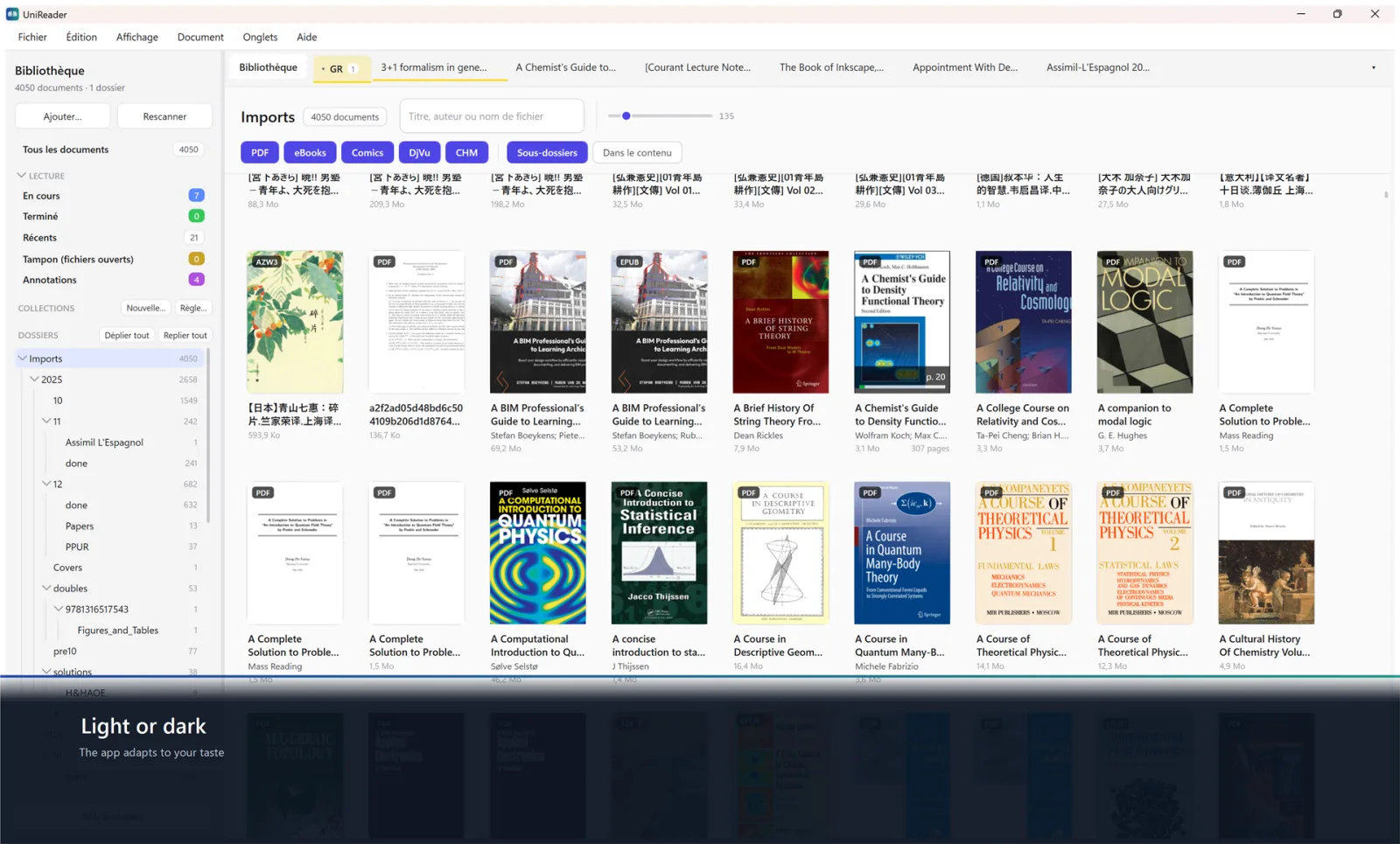
Day, night, sepia or paper; your font, your margins; page by page or scrolling.
Highlights and notes
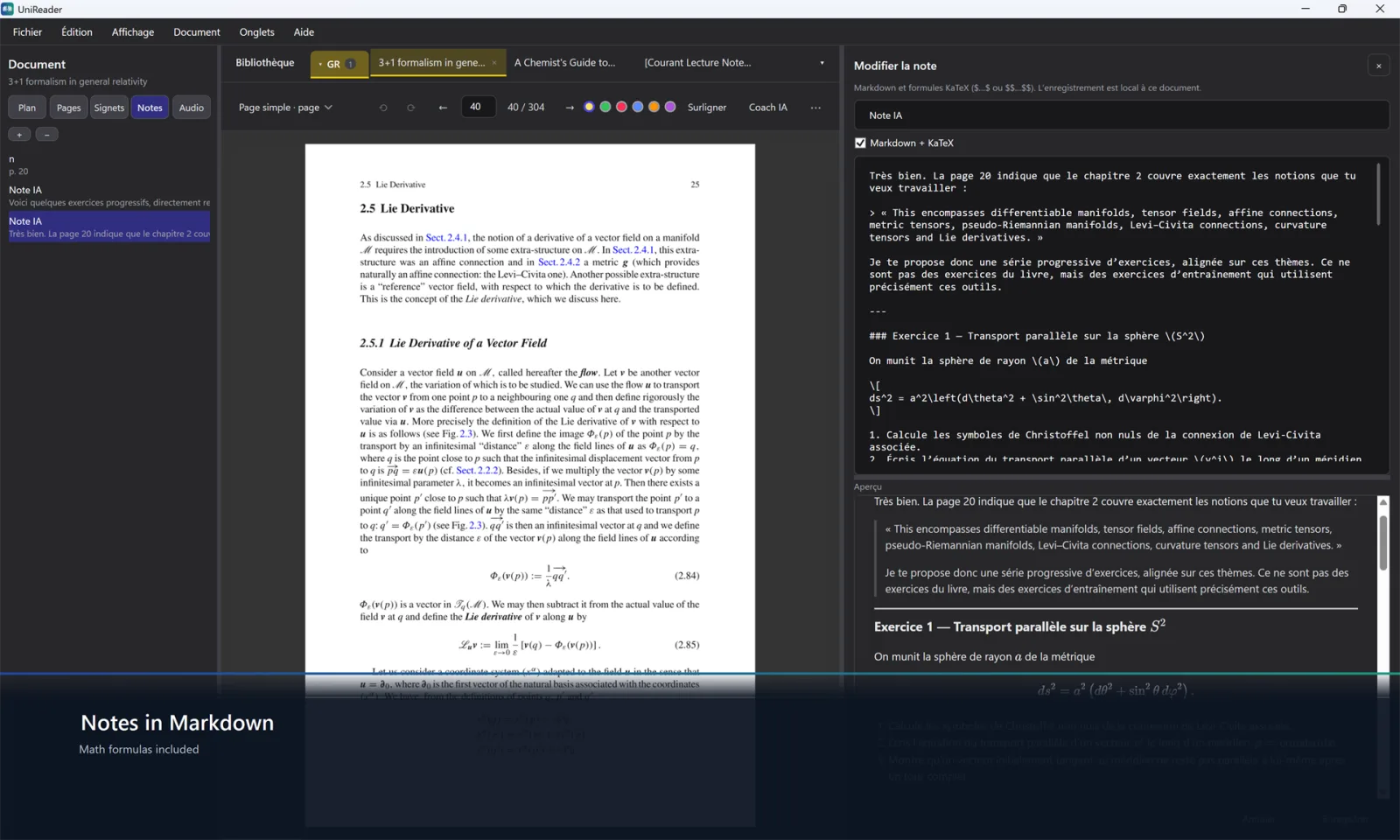
Highlight, add bookmarks, write notes — math formulas included — and export them as Markdown or PDF.
Read aloud
Have the text read to you, with the voice and the speed you choose.
Articles and references
Mark a folder as articles and it becomes a table of references. DOI and arXiv numbers are read from the PDF, BibTeX in one click.
Book details online
Find a book’s title, author, ISBN and cover in Open Library and Crossref, and keep what is right.
Large libraries stay quick
Tens of thousands of books stay fluid, organized in collections, with page thumbnails and outlines to move fast.
Private by design
No account, no ads, no tracking. Your books, notes and habits stay on your PC.
21 languages
The app speaks 21 languages, right-to-left scripts included.
A closer look
Free to start. Everything for 10 days.
For the first 10 days, every feature is open. After that, PDF and EPUB stay free for as long as you like; Premium unlocks everything else.
Free
For good
- PDF and EPUB
- The library, the reader and its themes
Premium
By month, by year, or once for life
- Every format: comics, DjVu, MOBI, Word, CHM, FB2, LIT…
- The reading assistant, with your own AI account
Bought in the Microsoft Store, which shows the price for your country. Your purchase follows your Microsoft account.
On your other devices too
The Windows version is bought in the Microsoft Store; Mac, iPhone and iPad share one Apple purchase.
Questions
Which formats does UniReader open?
PDF, EPUB, DjVu, MOBI, AZW3, CHM, FB2, DOC, DOCX, RTF, TXT, LIT, and CBZ, CBR and CB7 comics — 15 formats, each opened without conversion.
Is it free?
PDF and EPUB are free to read for as long as you like. For the first 10 days every feature is open; after that, Premium unlocks the other formats and the advanced tools — by month, by year, or once for life.
Does it open Kindle or Adobe-protected books?
No. UniReader opens the files you own that carry no DRM. Books locked by Amazon Kindle, Adobe Digital Editions or Apple Books need the app of the store that sold them.
Do I need an account? Is anything tracked?
No account is needed to read. There are no ads, no analytics and no tracking: your files and your reading stay on your PC.
What does the reading assistant see?
Only what you send, when you ask. It uses your own account with the provider you choose; UniReader never receives your key or your pages.
Can I use it on several devices?
Your purchase follows your Microsoft account on your other PCs. Windows has no sync between devices yet: each PC keeps its own library.
Your books. Your device. Your privacy.
Free to start, 10 days to try everything.